
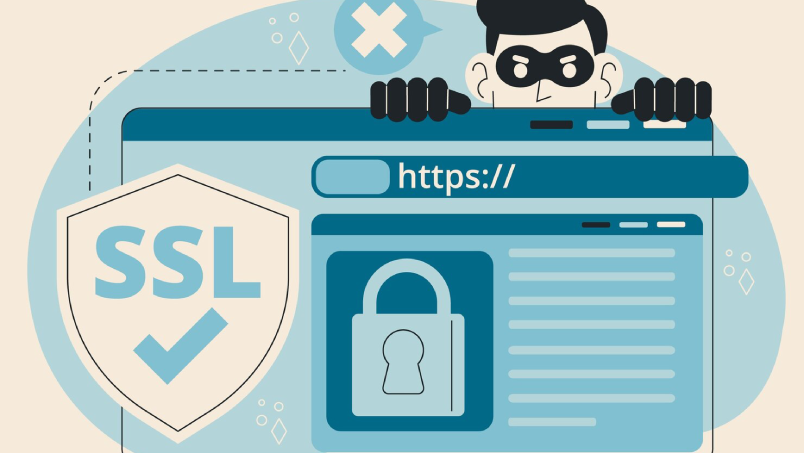
WordPress powers over 43% of the internet, making it the most targeted platform for automated attacks, bot exploitation, and malware injection. A hacked Bali business website means lost bookings, Google Search blacklisting (which removes your site from all search results), customer data exposure, and hours of recovery time. WordPress security in 2026 is not optional — it’s part of owning a WordPress website.
The WordPress Attack Surface: What Gets Targeted
Understanding what attackers actually target makes the security priority list logical rather than arbitrary:
Login brute force. Automated bots attempt thousands of username/password combinations against wp-admin and /wp-login.php. If your admin password is weak or your username is the default “admin,” these attacks eventually succeed. This is the most common entry point for WordPress compromises.
Plugin vulnerabilities. Plugins are third-party code added to WordPress. When a plugin has a security vulnerability (which happens regularly), attackers exploit it before website owners update. Outdated plugins are responsible for the majority of WordPress hacks. The risk is proportional to the number of plugins installed — every plugin is a potential vulnerability surface.
Theme vulnerabilities. Same principle as plugins — outdated or poorly coded themes contain exploitable vulnerabilities.
File upload exploitation. If your site allows file uploads (contact forms, user profile photos, woocommerce product uploads) and doesn’t properly validate file types, attackers upload PHP files that execute malicious code on your server.
XML-RPC exploitation. The WordPress XML-RPC endpoint (/xmlrpc.php) enables remote publishing and pingbacks. It’s rarely needed for modern WordPress sites and is frequently targeted for brute force and DDoS amplification attacks.
The Security Stack: 10 Non-Negotiable Measures
- Strong unique passwords + two-factor authentication (2FA) for all admin accounts. 2FA means even if your password is compromised, the attacker also needs access to your phone or authenticator app. WP 2FA plugin, or Wordfence’s built-in 2FA.
- Change the admin username from “admin.” The default “admin” username makes brute force attacks need to guess only the password. Creating a new admin user with a unique username and deleting the “admin” account eliminates half of the attacker’s work.
- Limit login attempts. After 3–5 failed login attempts, lock the account for 30 minutes. Prevents brute force attacks from being feasible. Wordfence, Login Lockdown, or Limit Login Attempts Reloaded plugins.
- Keep WordPress core, plugins, and themes updated. Enable automatic updates for minor security releases (WordPress does this by default). Check for and apply plugin/theme updates weekly. Uninstall plugins you don’t actively use — every inactive plugin is unnecessary risk.
- Install a security plugin. Wordfence Security (the most popular, with a capable free tier) provides a web application firewall, malware scanner, login security, and real-time threat intelligence. Run a full malware scan monthly.
- Disable XML-RPC if not needed. Add to your .htaccess file:
<files xmlrpc.php>order allow,deny deny from all</files>. Or use a plugin that disables it with one click. The vast majority of WordPress websites don’t need XML-RPC enabled. - File permissions set correctly. WordPress core files: 644 for files, 755 for directories. wp-config.php: 400 or 440. Incorrect file permissions (777 in particular) allow server-level exploitation.
- HTTPS with valid SSL certificate. Non-negotiable in 2026. Let’s Encrypt provides free certificates through most hosting providers. Renew automatically — an expired certificate causes browser security warnings that prevent visitors from reaching your site.
- Daily backups stored off-server. If your site is hacked, you restore from backup. The backup must be stored separately from your hosting server (a hacked server can include hacked backups). UpdraftPlus backing up to Google Drive or Dropbox is standard practice for Bali business websites.
- Hosting-level security. Choose hosting that includes server-level malware scanning, ModSecurity web application firewall, and isolation between customer accounts. Shared hosting where one compromised site can affect neighboring accounts is a risk multiplier.
What to Do If Your WordPress Site Is Hacked
If you discover your site has been hacked: don’t panic, don’t try to fix it yourself by deleting suspicious files (you’ll likely miss the reinjection backdoor). Steps: (1) Take the site offline immediately to prevent further damage or visitor exposure; (2) Restore from the most recent clean backup (why off-site daily backups are non-negotiable); (3) Change all passwords — WordPress admin, cPanel/FTP, database, hosting account; (4) Have a security professional scan the restored site for backdoors before bringing it back online; (5) Identify the entry point and close it (outdated plugin? Weak password? Misconfigured file permission?).
Choosing the Right Hosting for WordPress Security 2026 in Bali
Many Bali business websites are still hosted on generic shared hosting plans chosen for their low monthly price. In 2026, this is a serious security liability. The hosting environment is the foundation beneath every other security measure — if your server is compromised at the infrastructure level, no WordPress plugin will save you.
What to look for in a security-conscious hosting provider:
- Isolated hosting accounts. On quality managed WordPress hosting, each website runs in its own isolated environment. On cheap shared hosting, one infected site on the same server can spread malware to neighboring accounts — including yours.
- Server-side malware scanning. Active scanning at the server level catches threats that WordPress plugins alone may miss.
- ModSecurity or equivalent WAF. A web application firewall at the server level blocks malicious HTTP requests before they reach your WordPress installation.
- Automatic backups with off-site storage. Backups retained for at least 14 days, stored outside the primary server.
- PHP version control. Running a current PHP version (8.1 or higher) is both a performance and security requirement. Older PHP versions no longer receive security patches.
For Bali tourism businesses, villa rental platforms, and e-commerce shops processing bookings, managed WordPress hosting from providers like Kinsta, WP Engine, or Cloudways offers the security baseline that shared cPanel hosting simply cannot match.
WordPress Security Plugins: A Practical Comparison for Bali Businesses
Security plugins are not all created equal, and for a WordPress security 2026 Bali business website setup, choosing the right one matters. Here are the three most effective options:
Wordfence Security is the most widely used WordPress security plugin, with a robust free tier. It includes a web application firewall, malware scanner, live traffic monitoring, 2FA, login attempt limiting, and real-time threat intelligence. For most Bali SMEs, the free version provides solid baseline protection. The premium version adds real-time firewall rule updates (the free version has a 30-day delay on new rules).
Sucuri Security is particularly effective if you’ve experienced a previous hack. Sucuri offers server-side scanning, blacklist monitoring, post-hack cleanup services, and a CDN-based WAF that filters malicious traffic before it ever reaches your server. Their professional cleanup service is invaluable if your Bali business site gets compromised and you need fast recovery.
iThemes Security Pro (now Solid Security) focuses on hardening WordPress against known attack vectors: file change detection, database backups, 404 detection, hidden login pages, and brute force protection. It’s user-friendly and well-suited to business owners who manage their own WordPress sites without a dedicated developer.
Protecting WooCommerce and Online Booking Systems
Bali businesses that process online payments — villa bookings, tour reservations, restaurant reservations, or product sales — face heightened security obligations. If your WordPress site collects payment card data or connects to payment gateways like Stripe, PayPal, or Midtrans, a breach isn’t just an operational problem: it’s a regulatory liability.
Specific security requirements for WooCommerce and booking systems on a WordPress security 2026 Bali business website:
- Never store raw card data on your server. Use a payment gateway that tokenizes card data (Stripe, PayPal). The gateway handles PCI compliance, not your WordPress database.
- Force HTTPS on all checkout and account pages. WordPress settings should enforce SSL sitewide, not just on the front page.
- Audit WooCommerce plugin ecosystem regularly. Booking plugins, payment gateway integrations, and form plugins each add attack surface. Review quarterly and remove plugins that are no longer actively maintained.
- Set up transaction anomaly alerts. Unusual spikes in failed payment attempts can indicate card testing attacks. Most payment gateways offer these alerts in their dashboard.
- Restrict WooCommerce admin access by user role. Shop managers should not have full WordPress admin access. Principle of least privilege limits damage if an account is compromised.
For Bali businesses with significant booking revenue flowing through their website, a professionally built and maintained WordPress website with security baked into the architecture is a measurably better investment than patching a vulnerable DIY setup after the fact.
Google Search Console and Security: Why Google Cares About Your WordPress Security
Google actively scans websites for malware and deceptive content as part of its Safe Browsing program. When Google detects that a WordPress site has been compromised — whether through malware injection, phishing pages, or spam redirects — it takes two actions that are catastrophic for Bali businesses: it adds a warning in Chrome (“This site may harm your computer”) and it can remove the site from search results entirely.
Recovery from a Google blacklisting requires:
- Cleaning the site completely (all malware, backdoors, and injected spam links removed)
- Submitting a reconsideration request through Google Search Console
- Waiting for Google to re-crawl and re-evaluate — this process typically takes 1–3 weeks
For a Bali villa rental business or tour operator that depends on organic search traffic for bookings, three weeks of Google blacklisting can mean tens of thousands of dollars in lost revenue. This is why preventing a hack is exponentially more valuable than recovering from one.
If your site is not yet verified in Google Search Console, do it immediately. It’s the fastest way to receive security alerts directly from Google if your site is compromised — before you find out through an angry customer.
Security Hardening for the wp-config.php File
The wp-config.php file is the most sensitive file in any WordPress installation. It contains database credentials, authentication keys, and core configuration settings. Proper hardening of this file is a fundamental step in WordPress security 2026 Bali business website best practices.
Essential wp-config.php hardening steps:
- Move wp-config.php one directory above the WordPress root. WordPress automatically looks for it in the parent directory, but web servers won’t serve it publicly from there.
- Set file permissions to 400 or 440. This makes wp-config.php readable only by the server, not writable by web processes.
- Use unique, randomized authentication keys and salts. WordPress.org provides a key generator at api.wordpress.org/secret-key/1.1/salt/. Regenerate these keys if you suspect a compromise.
- Disable file editing from the WordPress dashboard. Add
define('DISALLOW_FILE_EDIT', true);to prevent attackers who gain admin access from editing plugin and theme files directly through the dashboard. - Disable file modifications entirely. For production sites managed through proper deployment pipelines, adding
define('DISALLOW_FILE_MODS', true);prevents any file changes through the WordPress admin — including plugin updates — which eliminates a common persistence mechanism used by attackers.
Building a Monthly WordPress Security Maintenance Routine
Security is not a one-time setup. For Bali business websites that operate year-round and depend on consistent online bookings, a monthly maintenance routine is the practical implementation of ongoing WordPress security 2026 Bali business website protection.
A realistic monthly security checklist:
- Update all plugins, themes, and WordPress core (check weekly, apply promptly)
- Run a full Wordfence malware scan and review the results
- Test backup restoration — confirm you can actually restore from your most recent backup
- Review WordPress user accounts — remove any accounts that should no longer have access
- Check Google Search Console for any security notifications or manual actions
- Review hosting account for unusual resource usage (CPU, bandwidth spikes can indicate malware activity)
- Verify SSL certificate expiration date and auto-renewal status
For business owners who don’t have time to handle this themselves, a monthly SEO and website maintenance package that includes security monitoring is a practical solution. Proactive monitoring catches issues before they become crises.
The Cost of Ignoring WordPress Security for Bali Businesses
Let’s make the business case concrete. A typical Bali villa rental website generates IDR 50–500 million per month in booking revenue that originates from organic search and direct traffic. A successful hack that triggers Google blacklisting removes that traffic for 3–6 weeks during cleanup and reconsideration. Emergency malware cleanup from a professional service costs USD 200–500 minimum. If the breach exposes customer data, there may be legal obligations under Indonesia’s Personal Data Protection Law (UU PDP, effective 2024).
Compare that against the cost of proper WordPress security implementation: a quality security plugin (free or USD 99/year premium), managed hosting (USD 30–100/month), and a monthly maintenance check. The math is straightforward — prevention costs a fraction of recovery.
Bali’s tourism and hospitality businesses operate in a competitive online environment where reputation, search visibility, and booking continuity are business-critical. A hacked website damages all three simultaneously. Treating WordPress security as a core business expense — not an optional IT line item — is the only rational position in 2026.
Ready to secure your Bali business website with a professional WordPress setup? Contact Bali Web Design for a free consultation.